You measure a mobile billboard campaign by setting up your own tracking before the truck rolls, then comparing what happens during the run against a normal week. The truck gives you reach numbers, such as displays and impressions, and your own tracking tells you what people did after they saw the ad.
A billboard truck is seen on the street, and the response shows up later in your phone calls, your website and your front door.
Know what a billboard truck is good at
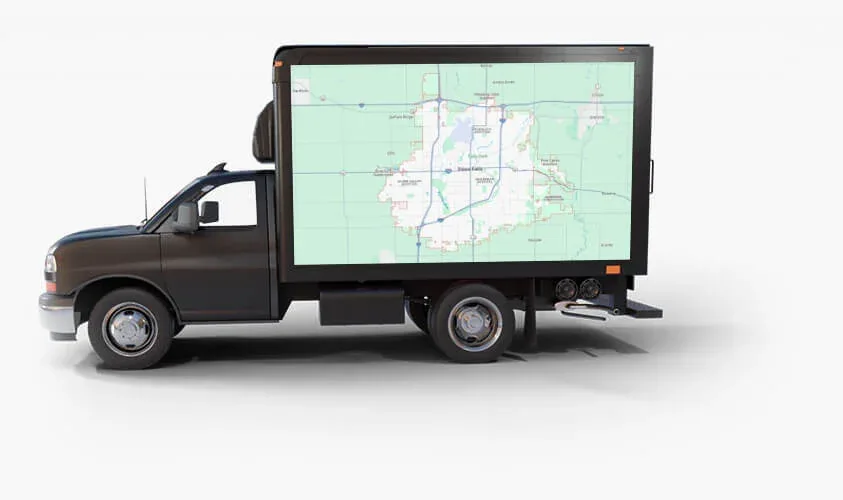
A billboard truck is good at local awareness and reminders. It puts your name, your offer and your location in front of people who live, shop and drive in the area, over and over. Our shared daytime route covers the zone from 41st Street to 57th Street and from Minnesota Avenue to Western Avenue, including major shopping centers like The Empire Mall and Lake Lorraine. You can see it on the truck route page.
What a truck does not do is hand you a list of who saw the ad and what each person bought. So the useful question is "what changed while the truck was running, and can I tie any of it to the ad".
That is why you need your own tracking. Your package tells you about how often your ad is shown. Only you can see your calls, your website and your register.
Set up tracking before the truck rolls
The most common mistake is trying to measure after the campaign is over. By then there is nothing to compare against. Do these three things first.
- Pick one goal. Calls, bookings, website visits, foot traffic or coupon redemptions.
- Write down your baseline. Record that number for a few ordinary weeks before the campaign.
- Give the truck its own path. Use a web address, code, offer or phone number that appears only on the truck, so responses can be traced back to it.
Use QR codes and dedicated landing pages
A dedicated landing page is a page on your website that exists only for this campaign. Put its address on the truck and nowhere else. Then a visit to that page most likely came from the truck.
- Keep the address short and easy to say.
- Give the page one job, such as a call button, a booking form or a coupon.
- Count the visits and the actions people take.
A QR code can point to the same page. Create a code that is used only on the truck so its scans are counted separately. QR codes work when people are standing still or moving slowly, like at festivals, parades and in parking lots. Drivers should not scan, so always show the short web address as well. Our ad design guide has more on keeping a code and a web address readable.
If you would rather not build this yourself, the VIP Prime package includes landing pages and QR code integration, along with the other bonuses listed on the VIP perks page.
Add a unique offer, a tracking number, or just ask
A unique offer or promo code
Put an offer on the truck that you are not running anywhere else. It could be "Mention the truck for a free appetizer" or a short code like TRUCK10 at checkout. Each redemption is a response you can count. Tell your staff before the campaign starts, and give them a simple way to mark each one.
Offers undercount, because many people never mention the code. Treat redemptions as a floor.
A tracking phone number
If calls are your goal, use a phone number that appears only on the truck and forwards to your main line. Then the call log does the counting.
Ask "how did you hear about us?"
This is the cheapest tool you have. Add the question to your booking form, your intake call and your checkout routine, with "billboard truck" as a choice. People do not always remember correctly, so read the answers as a signal, not an exact count.
Watch search, website and store traffic against a normal week
Many people who see an ad never scan or call. They search your name later or just stop in.
- Branded search. These are searches for your business name. Your search and business listing reports show how often people looked you up.
- Direct website visits. These are visits from people who typed your address in. Your website analytics show them.
- Store traffic. Door counts, transactions, reservations or new customer forms, whichever you already record.
Then compare. Line up each week of the campaign against your baseline weeks.
Be fair about what else was going on. Weather, holidays, a sale, a big event at the Denny Sanford PREMIER Center, or other advertising you ran at the same time can all move your numbers. Write those down next to the results. A lift during the campaign is a good sign, not proof, and one week is a small sample.
Read displays and impressions as reach, not sales
Reach numbers tell you how much exposure your campaign had. The shared route runs 40 hours per week, with about 180,000 to 230,000 impressions per week on the route. Your package sets how often your ad shows.
- Starter: about once every 4 minutes, about 563 displays and 75 minutes of display time per week.
- Essentials: about once every 2 minutes, about 1,125 displays and 150 minutes per week.
- VIP Prime: about once every 1 minute, about 2,250 displays and 300 minutes per week.
A display is one showing of your ad on the screens. An impression is an estimated opportunity for someone to see the truck. The impressions figure describes the route as a whole, so do not read it as a count of people who saw your ad. Neither number tells you what anyone did next.
These numbers are still useful. If you move from Starter to Essentials, your displays about double, and you can watch whether your own tracking moves with them. For Exclusive Use, booked in 4-hour and 8-hour blocks, record the hours, the location and the event, then compare that day with a normal one.
Reach is what the truck delivers. Response is what you measure. Keep the two in separate columns. For more background, read how mobile billboards work, what they cost and how effective they are.
Build a simple one-page scorecard
Put everything on one page and fill it in every week.
- Campaign details: dates, package or Exclusive Use blocks, and which creatives ran.
- Reach: displays per week from your package.
- Direct responses: landing page visits, QR scans, promo code redemptions and calls to the tracking number.
- Customer answers: how many people said "billboard truck" when asked.
- Indirect signals: branded searches, direct website visits and store traffic, each next to its baseline.
- Sales you can trace: revenue from redemptions and from customers who named the truck.
- Notes: weather, events, other ads and anything else that could explain a change.
At the end, ask which creative or offer got mentioned most. Ads can be changed during a campaign, so you can act on the answers while the truck is still running by swapping in a new message.
Plan your tracking with us
No one can promise what a campaign will produce, and we will not. What you can do is set a clear goal, give the truck its own trackable path, and compare honestly against a normal week.
If you want to talk through a goal and a tracking setup before you commit, book a call. You can also download our pricing to look at the shared route packages and Exclusive Use.