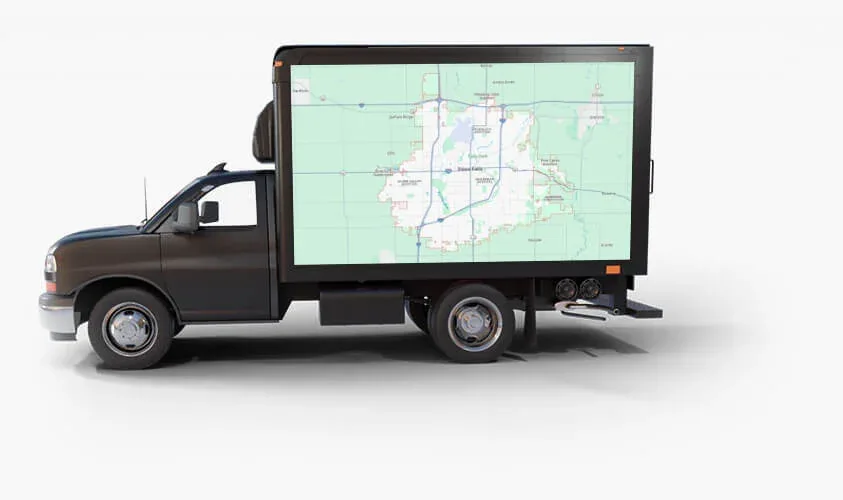
To use a mobile billboard truck for a grand opening, put your name, your opening date and your location on a moving LED screen and send it through the streets around your new address before and on opening day. Book it around the hours that matter most, and keep the message short enough to read from a passing car.
The rest of this guide covers when to run, what to show, and how to use the screens, the sound system and a simple offer together.
Why a Moving LED Screen Suits a Short Launch
A grand opening is a short window. You have one day or one week to tell the neighborhood you exist. That calls for advertising you can switch on for a few days and point at a few streets.
A billboard truck does that. You can rent one for a single day, a week, or longer, so the booking matches your opening instead of a long contract term.
There is a local reason too. Sioux Falls has limited traditional billboard options because of local zoning rules. If there is no billboard near your new address, a truck can still put a large sign on your street.
And because the screens are LED, the message is not fixed. Ads can be changed during a campaign, so "Opening Saturday" can become "Now Open" without printing anything new.
A Simple Timeline: Before, Day Of and After
Before opening day
Use the days before to build awareness. People near your location should learn three things: your name, what you sell and the date. Run a "Coming Soon" or "Opening Saturday" message with the nearest cross street.
If you want broad visibility in the lead-up, our shared daytime route is one option. It includes major shopping centers like The Empire Mall and Lake Lorraine. You can read about it on the truck route page.
Opening day
This is the day to have the truck to yourself. Switch the message to "Now Open" or "Grand Opening Today." Add your offer and your location. Time the truck for the hours when people can actually stop in, such as lunch, the drive home from work or a Saturday afternoon.
After opening
The days after are easy to forget. Plenty of people who saw the truck could not come on opening day. Keep a simpler message running: "Now Open," your hours and one reason to visit. If the budget allows, this is a good point to move from a one-day push to a steadier presence.
What to Put on the Screen
People see a moving screen for a few seconds. Plan for that.
- Your name and logo. Make them large.
- What you are. Three or four words, like "Wood-Fired Pizza" or "Family Hair Salon."
- The date, or "Now Open."
- Where you are. A cross street or a well-known landmark is easier to remember than a street number.
- One offer or one action. Not three.
Use high contrast, big type and few words. Leave out anything a driver cannot take in at a glance, like a long list of services or fine print.
Our LED trucks have three screens: driver side, passenger side and rear. The rear screen faces the cars following the truck, and those drivers look at it the longest. It is a good place for your location or your offer.
The screens can show graphics, video and live streams. A short video of your food, your space or your team can work well, as long as the key words stay on screen the whole time. Our ad design guide covers layout, and the gallery shows the trucks in action.
Using Exclusive Use Blocks Around Your Location
Exclusive Use means only your ads are on the truck, in the area you choose. You are not limited to the shared route. It is booked in 4-hour and 8-hour blocks, and grand openings are one of its popular uses.
Here is how to plan a block.
- Draw a small area. Start with the streets people use to reach your door. Add the nearest busy road and the nearest shopping area.
- Match the block to your day. A 4-hour block can cover a ribbon cutting and a lunch rush, or an evening event. An 8-hour block covers the standard day.
- Think about who is out, and when. Office areas are busy at lunch. Neighborhoods are busy in the evening and on weekends. Downtown Sioux Falls and Phillips Avenue have people on foot.
- Tell a story. With Exclusive Use you can run multiple creatives. Show who you are, then the offer, then where to find you.
- Tell us about your site. Describe your parking lot and street when you book, and ask what is possible at your location.
There is more on our grand opening advertising page.
Using the Sound System and Live Content
The truck has a DJ sound system with a microphone and speakers. That lets the truck be part of the event, not only the ad for it.
- Play music during the opening to set the mood.
- Use the microphone to welcome guests and announce the ribbon cutting.
- Call out prize drawings or specials through the day.
The screens can also show live streams, such as TV shows and sports. If your opening lands on a game day, the game on a big screen gives people a reason to stay a while.
Be a good neighbor with sound. Keep the volume friendly, check with your property manager, and follow any local noise rules that apply to your location.
Pair the Truck With a QR Code or an Offer
The truck gets your name seen. An offer gives people a reason to walk in.
Keep the offer simple and tied to the opening. A free item with a purchase, a first-visit discount or a prize drawing are all easy to explain in a few words. If you ask customers to mention the truck, you can count how many do.
QR codes need a little thought. A code is hard to scan from a moving car, and drivers should not try. It works best where people are on foot, such as when the truck is part of your event or passing slowly through a busy walking area. Make the code large. Send it to a simple page with your location, hours and offer. Always put a short web address or plain words next to it for everyone who cannot scan.
QR code integration is one of the extras in our VIP Prime package. The VIP perks page lists the rest.
Grand Opening Checklist
- Set the opening date and hours.
- Pick one offer.
- Choose your area: the streets around your location and the nearest busy road.
- Decide on a lead-up message, an opening day message and an after message.
- Book your Exclusive Use blocks for opening day.
- Get the file specs from our sales team, or ask our designers to create the artwork.
- Check every ad from across the room. If you cannot read it in three seconds, cut words.
- Plan the sound: music, announcements and who holds the microphone.
- Set up your QR code page or short web address and test it on a phone.
- Brief your staff on the offer and ask them to note how customers heard about you.
Plan Your Opening With Us
A grand opening only happens once, so book the truck as soon as you know your date. Pricing is by quote, with no hidden fees.
Book a call and tell us your date, your location and what you are opening. If you would like to see numbers first, you can download our pricing.